Trading rules and discipline
Write your rules once, mark the ones you broke on each trade, and compare your win rate when you follow them with when you don't.
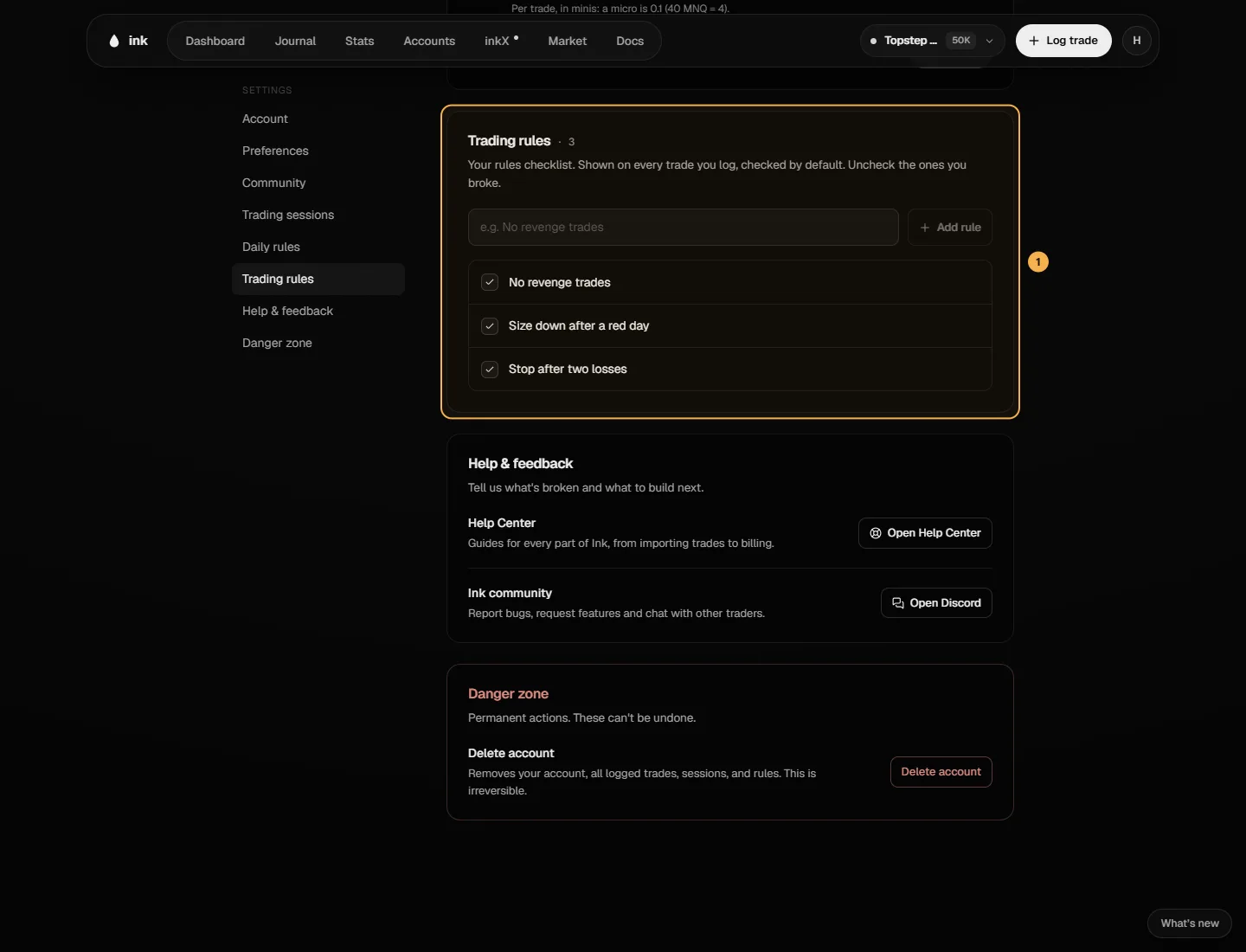
Trading rules are your discipline checklist — "No revenge trades", "Stop after two losses". They apply to every trade, whatever the strategy. You mark them yourself on each trade. Daily rules are different: a few limits Ink checks for you from your trades.
Write your rules
Go to Settings → Trading rules. Type a rule and click Add rule. Click a rule's name to rename it, use the arrows to reorder, and archive one you no longer use — it's hidden from Log trade and its history is kept. Archived rules can be brought back with Restore. Rules can't be deleted, only archived.
Mark them on a trade
Under Rules followed:
- Log trade — every rule starts as followed. Tap the ones you broke.
- Trade editor — rules start Not recorded. Tap once for Followed, again for Broken. Untouched rules stay unrecorded.
The trade's review shows the rules with a Broke tag on any you broke.
Discipline (Pro)
Stats → Discipline compares your win rate on trades where you Followed all rules with trades where you Broke ≥1 rule (lib/pnl/rule-adherence.ts):
- Each trade is checked against your active rules it has a result for. All followed → "followed all". Any broken → "broke ≥1". None recorded → not evaluated, and left out.
- The difference is shown in percentage points (pp) — only when both sides have at least 10 trades. Otherwise: "Not enough data to compare".
- The table below does the same for each rule on its own.
Example (made-up trades). 24 trades followed all rules and 15 of them won (62.5%). 12 trades broke at least one and 4 won (33.3%). Both sides have 10+ trades, so Discipline shows +29.2 pp for following your rules.
Daily rules
Set them in Settings → Daily rules (the Dashboard's Today card shows today's). They're yours, across every account, and Ink checks them from your trades — you don't tick anything:
- Max N trades a session — the trade after the limit breaks it. A trade logged to several accounts counts once.
- Stop after N losses — a trade entered once that many losers have closed that session breaks it.
- No entries ± N min of news — an entry that close to a high-impact USD release (one with a published time) breaks it.
- Size ≤ N mini — per trade, in minis: a micro counts as 0.1 (40 MNQ = 4).
A session is the one the trade was entered in, by its account's clock (6:00 PM to 5:00 PM New York on futures, 5:00 PM to 5:00 PM on CFD & Forex). Each trade is checked against the rules you had on when you entered it, so loosening a rule later never clears a break you already made. On the Dashboard's Today card a broken rule links the trade that broke it; if its time is wrong, fix it there. The Rules kept streak counts sessions in a row with at least one checked trade and nothing broken. Days without trades don't count and don't break it.