What is Ink
A trading journal for prop firm traders — futures, CFD & forex. Your trades, your accounts' rules and a community, in one place.
Ink is a trading journal for prop firm traders — futures, CFD & forex — with evaluations and funded accounts at firms like Topstep, Apex, Lucid Trading and MyFundedFutures.
It does three things:
- Keeps an honest record of your trades. Import a Tradovate or TopstepX CSV, or log a trade by hand. Ink turns fills into round-trip trades and works out the P&L from each instrument's tick size and tick value. On a CFD & Forex account, you log each trade's dollar result by hand.
- Tracks every account against its firm's rules. Max loss, the drawdown type (trailing, end-of-day or static), the daily loss limit and consistency — so you can see how close you are before you break a rule. Ink fills them in from its firm presets. Presets last checked: Nov 2, 2026. (Apex on Oct 7, 2026; funded payout rules on Oct 24; everything else on Oct 23.) Always confirm current rules with your prop firm. Firms change them.
- Helps you get better. Plan each trading day and review it, see your stats by strategy and session, and share results with other traders on inkX.
Ink is a record, not a broker
Ink never places, routes or changes an order. Every trade in Ink is one you already made — imported from your broker's file or logged by you. Broker auto-sync isn't available yet; today it's CSV import and manual entry.
Finding your way around
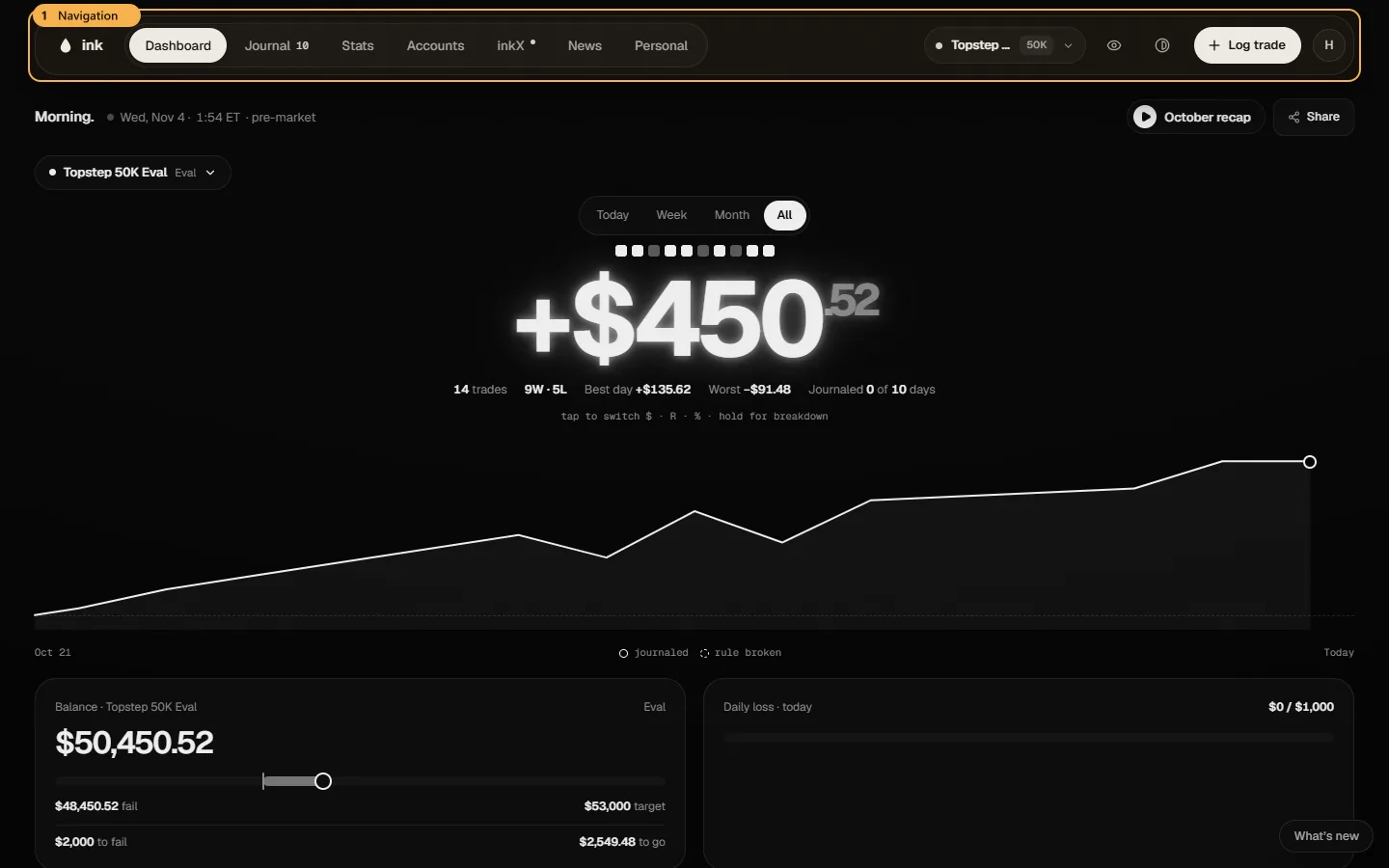
The navigation bar has seven areas:
| Area | What's there |
|---|---|
| Dashboard | Your selected account at a glance: P&L, the calendar, rule tiles and today's plan. |
| Journal | Trades (every trade, with its review) and Days (your plan before the open and your review after). |
| Stats | Overview (win rate, profit factor, expectancy and more), Insights (patterns in your trades) and Strategies. |
| Accounts | Accounts (each prop account and its rules), Fee tracker (what you've spent and been paid, and what renews when) and Prop firms (each firm's rules and your record with it). |
| inkX | The community: a feed, groups, chats and stories. |
| News | The economic calendar. |
| Personal | Goals (goals that track themselves from your journal, or that you count yourself) and your Why board on one page, and Notes (your own notes, in folders). Only you see it. |
The account picker next to them chooses which account the Dashboard and Stats show. It has three tabs: Funded and Evals for active accounts, and Archived for passed, failed and closed ones. Each row shows the account's number (if you added one) and its room, meaning how far the balance is above the drawdown floor. That's the same headroom the Dashboard's drawdown tile shows, rounded down to whole dollars. The account with the least room is shown in bold, and it turns amber once 80% of its max loss is used. "Breached" means the floor has been hit. Press / to open the picker and search by name or number. Add account and All accounts are at the bottom. On a phone, open the ⋯ menu and tap Account.
Free and Pro
You can use Ink for free with one active account (archive as many as you like), one strategy, unlimited trades and Stats over your full history. Ink Pro removes the account and strategy limits and adds the deeper Stats: the edge finder, Compare, Insights, Tags and every breakdown. See Free vs Pro.