Your settings
What's in Settings, your profile and Appearance — from the breakeven band and dollar masking to your theme and signing out.
Open Settings from the account menu (your avatar; ⋯ on a phone).
Settings
- Account — your email, your plan and subscription, and Sign out.
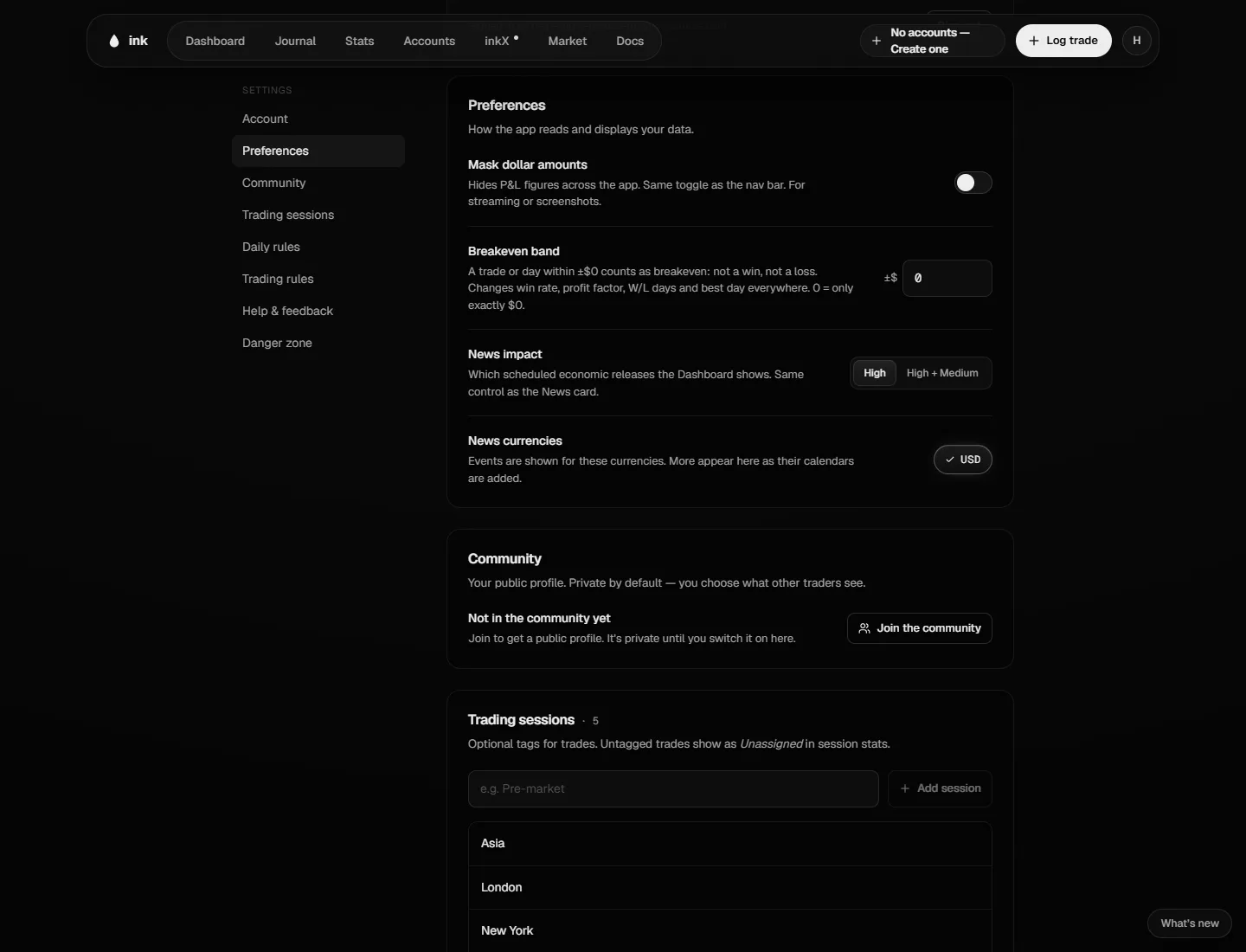
- Preferences
- Mask dollar amounts — hide P&L figures, for streaming or screenshots. The same switch is Mask amounts in the account menu.
- Breakeven band — a trade or day within ±this amount counts as breakeven: not a win, not a loss. It changes win rate, profit factor and best day everywhere. $0 means only exactly $0 is breakeven. See How stats are calculated.
- News shown (High, Medium, Low, Holidays) and News currencies — which scheduled economic releases and market holidays show on News, your Days and inkX.
- Community — who sees your profile and what it shows; Edit profile → at the top opens your name, picture, username and bio. See Join inkX.
- Trading sessions — the sessions you tag trades with. See Sessions and grades.
- Trading rules — your discipline checklist. See Trading rules and discipline.
- Help & feedback — Open Help Center, or Open Discord to report a bug or ask for a feature.
- Danger zone — see Your data and privacy.
There's no time zone setting: Ink always uses New York time.
Your profile
Click your name at the top of the account menu to open your inkX profile, then Edit profile: one window with your picture (click it to upload, or Remove), Name, Username and Bio. Save updates it right away. Not in inkX yet? Settings → Community → Edit profile → opens the same window (no bio).
Appearance
Account menu → Appearance (or A, or the half-filled circle in the navigation bar) opens Appearance on the page you're on: the Theme (Black, Dark, Light or Auto — Auto follows your device), the Dock (Top or Bottom, under Layout), backgrounds, card styles, colors, buttons and more. See Appearance.
Account menu → Keyboard shortcuts (or ?) lists the keys that work in Ink.