Share a P&L card
Turn a trade, a day or a period into an image or a video to share — and choose exactly what's on it.
A P&L card is a shareable image of a result. Open one from a trade's page (P&L card) or from the trade's row in the list (Open P&L card). For a day, week, month, year or all time, use Share on the Dashboard, a Day page or the calendar — see The calendar and period cards. A period card can also wear your theme — see Card styles.
Customize it
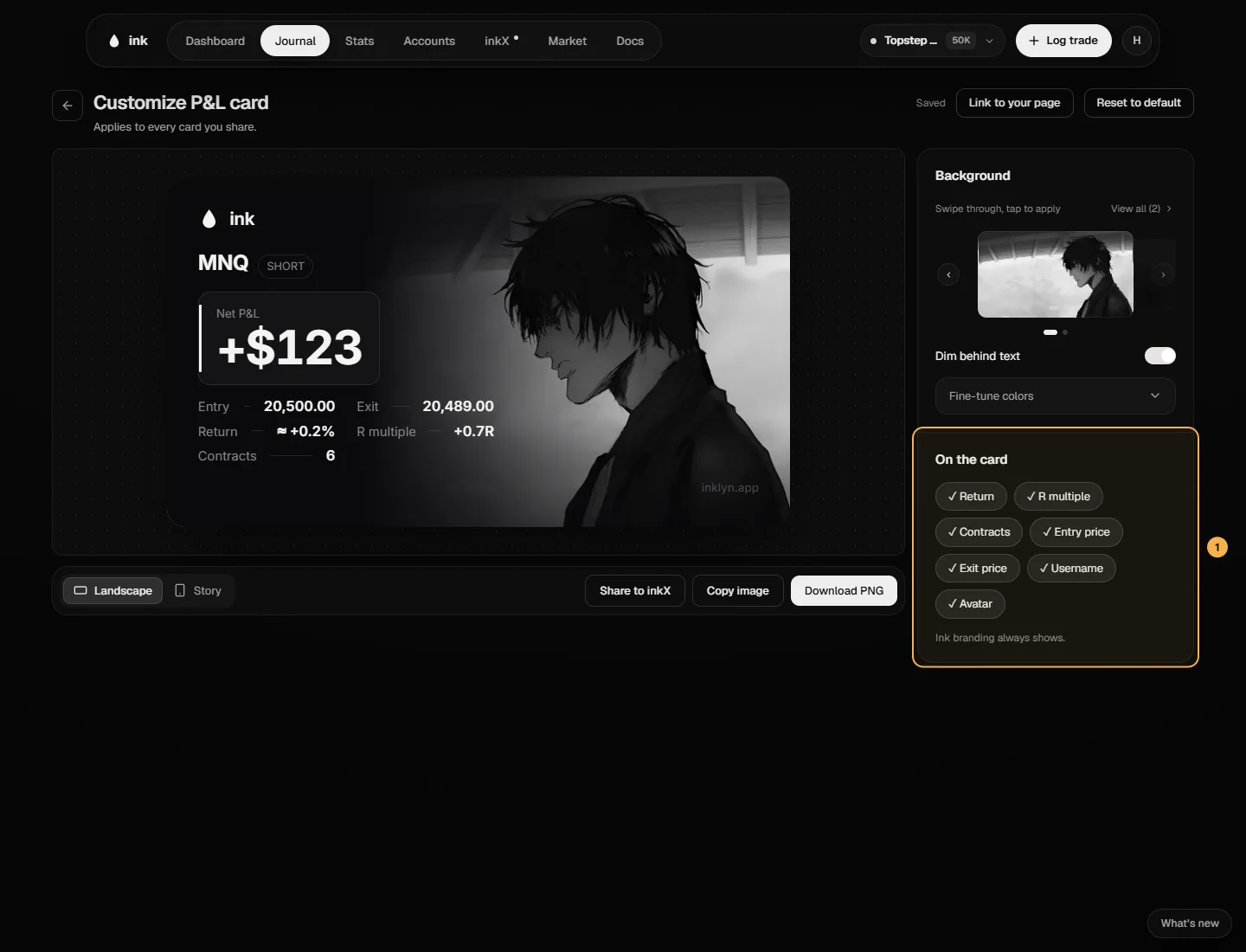
Customize opens the card studio. Your choices apply to every card you share:
- Landscape or Story (tall, for phone stories).
- Background — the default, a motion background, or your own image or video. Dim behind text keeps it readable.
- Colors for the card, the P&L, the symbol, the values and long/short.
- On the card — show or hide return, R multiple, contracts, entry and exit prices, your username and your avatar.
Ink branding always shows.
Save or share
Copy image or Download PNG for image backgrounds; Export MP4 for video ones. Video exports are limited to 10 an hour and 30 a day — after that you'll see "Export limit reached."
P&L cards and video export are free on every plan. To post a card to the community, see the inkX section.