The calendar and period cards
Your P&L by day and week on the Dashboard calendar, and shareable cards for a day, week, month, year or all time.
The calendar
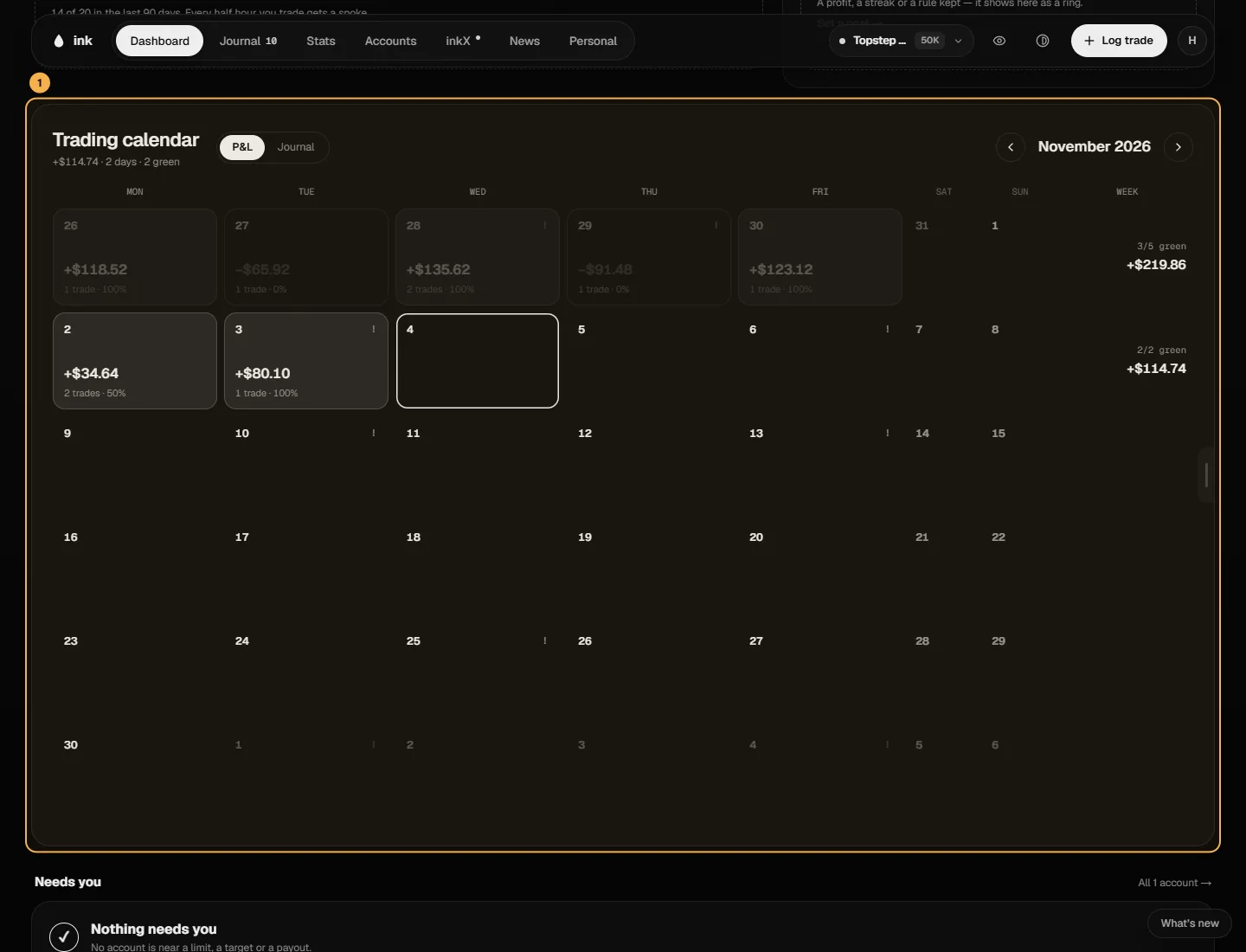
The Dashboard calendar shows the selected account's whole history, a month at a time, starting on the current month in New York. The arrows step through the months; the title shows the month's net and how many days you traded.
- Winning days are tinted, losing days faded, and flat days (inside your breakeven band) plain. Each shows its net P&L, number of trades and win rate; the week's total sits on the right. Click a day or a week for the drawer with its trades, or drag across days for their total.
- A trade counts on the session day it closed (6pm ET for futures, 5pm ET for CFD starts the next day). A trade on Friday after that time, Saturday, or Sunday before it keeps its own date.
- The Week column totals each week's days in that month (below the grid on a phone).
- A dot marks a day with a high-impact USD release.
- Click a day to open its Day page.
Prop rules use the session instead, so a Tuesday-evening trade can show on Tuesday here and count toward Wednesday for your rules.
Share on the calendar makes a calendar card of that month.
Period cards
Share on the Dashboard (and on a Day page) opens a card for a period: Today, Week, Month, Year or All time. The numbers come from the account you're on, worked out fresh by Ink. The card shows the net P&L, and you choose what else goes On the card: Trades, Win rate, Best day (Best trade on a day card), a Curve or the Days, your Username and Avatar.
- Format — Landscape or Story (tall, for phone stories).
- Background — the default, a motion background or your own (upload one in the card studio). Dim behind text keeps it readable.
- Number — the P&L as Plain, Boxed or Huge, and the colors of the card.
Use as my default on: "Every share starts from this look", and your changes are saved for next time. Off: "Changes stay in this share only". Then Copy image or download it. A video background exports as MP4 only from your saved look: "Turn on Use as my default to export video".
For a single trade's card, see Share a P&L card.